Halo
 Shedi
 Gold Master Kit
Claude Code
I made Claude Code grade its own homework. It failed one landing page 75 times.
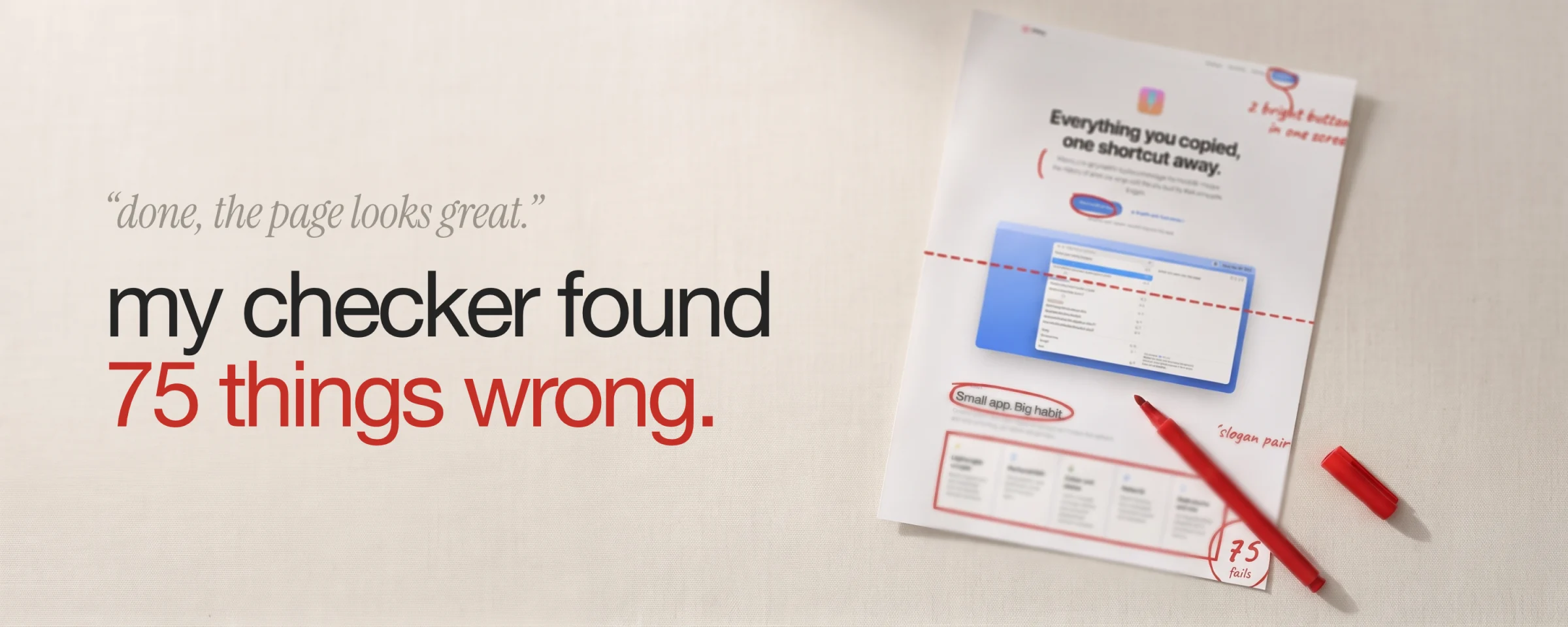
Claude told me the page looked great. My checker found 75 things wrong with it.
I'm 17, I have a full-time job, and I make two small Mac apps after work, Halo and Shedi. Every launch, the week before shipping took me longer than the app itself: App Store screenshots, link previews, launch posts, a short film, a landing page.
So I handed that week to Claude Code. It wrote everything fast. And every single time, it said "done" on work that wasn't.
One honest note first: I built everything below with Claude Code, and the tests are small. One judge, one run per app. A strong sign, not a study.
And one thing I'll only answer at the end. On 23 November a stranger paid for this two minutes after landing on my site. I know exactly what they read before they paid, and it wasn't the pitch.
What's below:
- Why "looks great" is the most expensive thing an agent says
- Five checks you can steal, even if you never buy anything
- A blind test: plain Claude Code against Claude with the checks
- What I turned it into, and what it costs until 1 December
"Looks great" is the most expensive thing an agent says
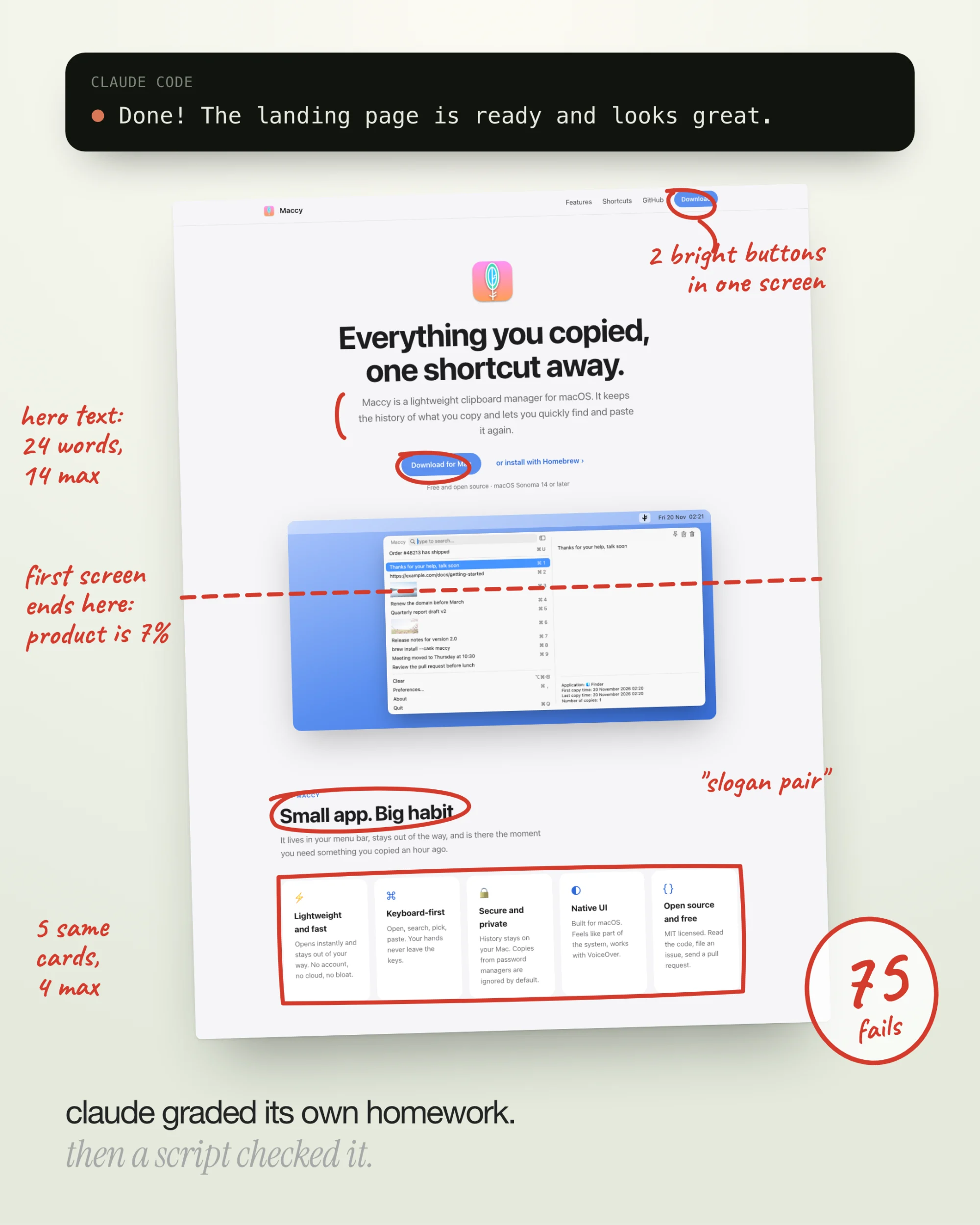
This is a landing page plain Claude Code made for Maccy, an open source clipboard app. It isn't bad. It's what most AI pages look like.
The red marks are real. They're the failures my checker printed when I ran it on that page. 75 of them. A few:
- The first screen shows no product. The biggest picture fills 6% of the screen; it wants 15% or more.
- A grid of six same-size feature cards.
- The headline was drawn in Times, because the font never loaded.
- An FAQ question that exists in the page's schema but not on the page.
- The same screenshot, used twice.
Claude didn't miss these because it's dumb. It missed them because it reviewed its own code, and every one of these only exists after the browser draws the page.
You'd have found them too. After launch. From a stranger's reply.
Five checks you can steal
Every skill I made now ends with a script, not a self-review. Claude can't say "done" until the script passes. Here's what the scripts do, and you can copy all of it into your own setup:
- Render the real thing. Playwright opens the page at four widths, the screenshots at Apple's exact sizes, the film frame by frame.
- Ask the browser what actually happened. getComputedStyle tells you which font you asked for. Chrome's DevTools protocol tells you which font drew the letters. Only the second one matters.
- Measure on real pixels. Contrast is read from the pixels behind the text, not from the CSS colours.
- Put the fix inside the error. "6 cards: show one tabbed demo instead" gets a better page than "too many cards". When an agent only hears "no", it makes the cards slightly different sizes and tries again.
- Still make it look. The last step crops every section and Claude has to look at each one, because a page can pass every check and still be ugly.
The rules aren't my taste. Before writing them I measured 73 Mac app landing pages and went through 154 landing designs posted on X. The numbers decide what fails.
The blind test
"It looks better" is cheap to say. So I tested it the boring way.
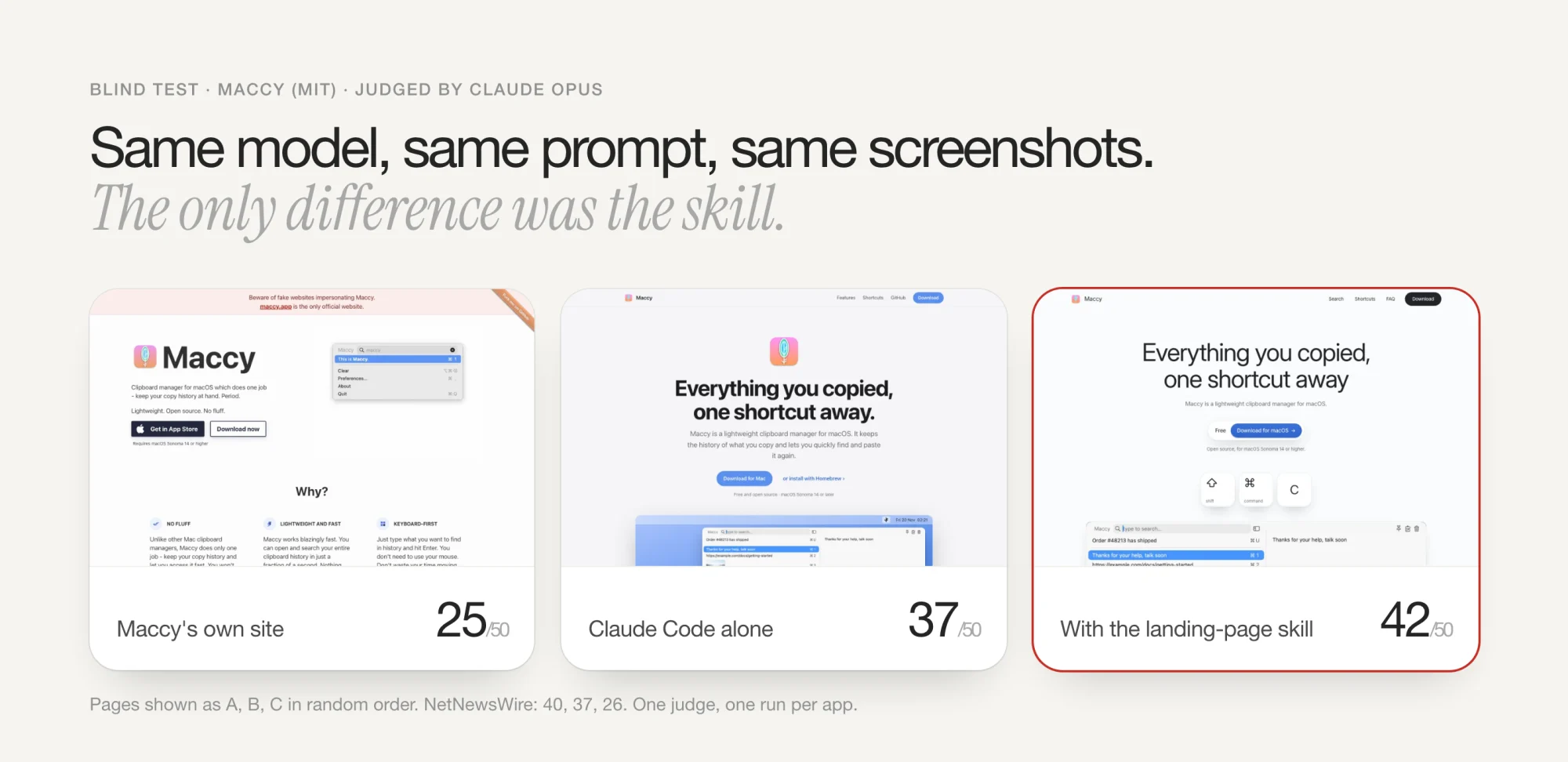
Two open source Mac apps, Maccy and NetNewsWire. Same model, same prompt, same screenshots, one run with the checks and one without. Claude Opus then judged three pages per app, shown as A, B and C in random order: the app's real site, plain Claude Code, and the version with the checks.
Out of 50:
- Maccy: 42 with the checks, 37 plain, 25 for the real site
- NetNewsWire: 40 with the checks, 37 plain, 26 for the real site
Same test on App Store screenshots, three Mac apps, out of 40: 31, 29 and 30 with the checks. 23, 26 and 26 without.
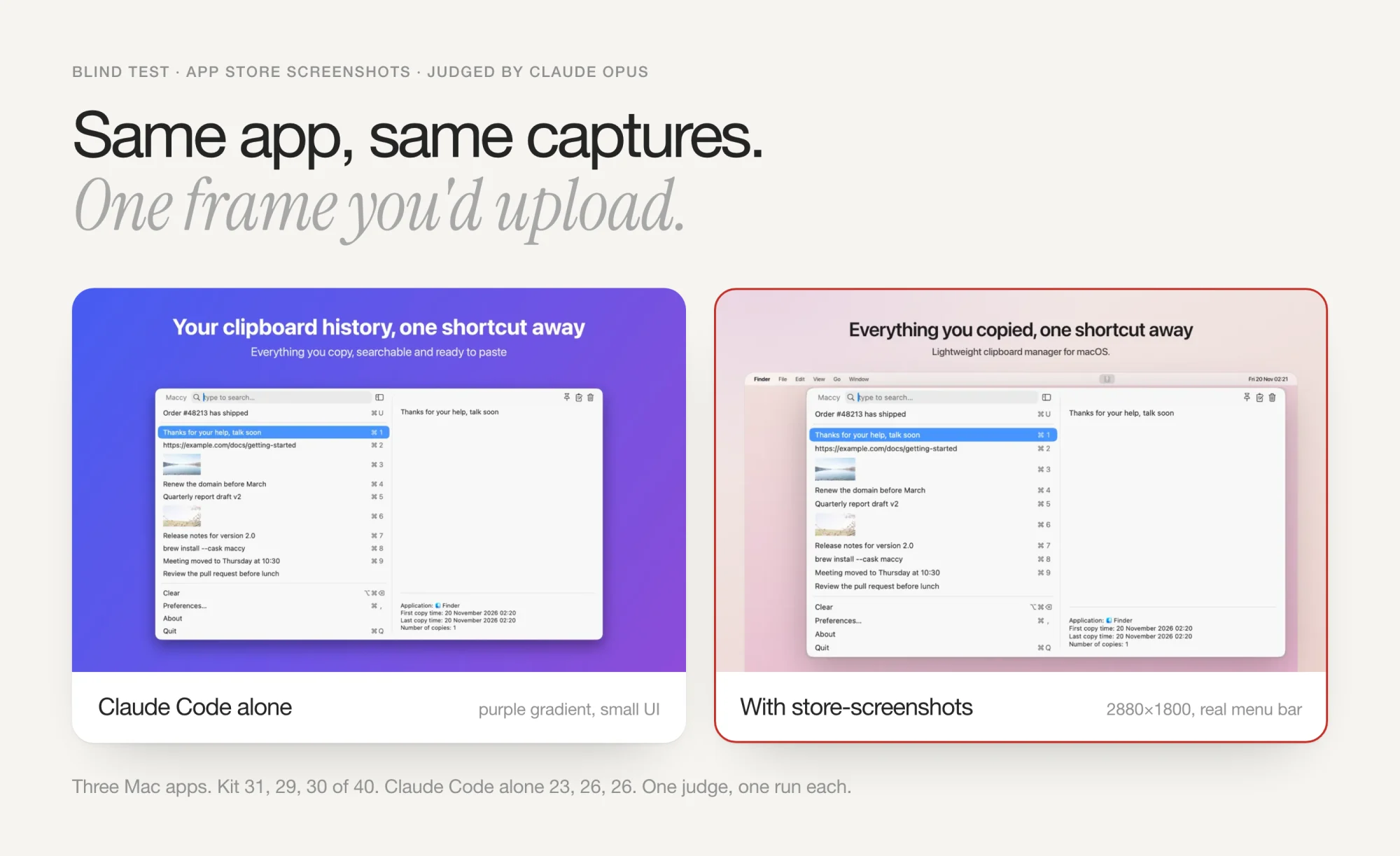
Plain Claude Code is already decent. The checks are the difference between decent and the version you'd actually ship.
I used it on my own apps first
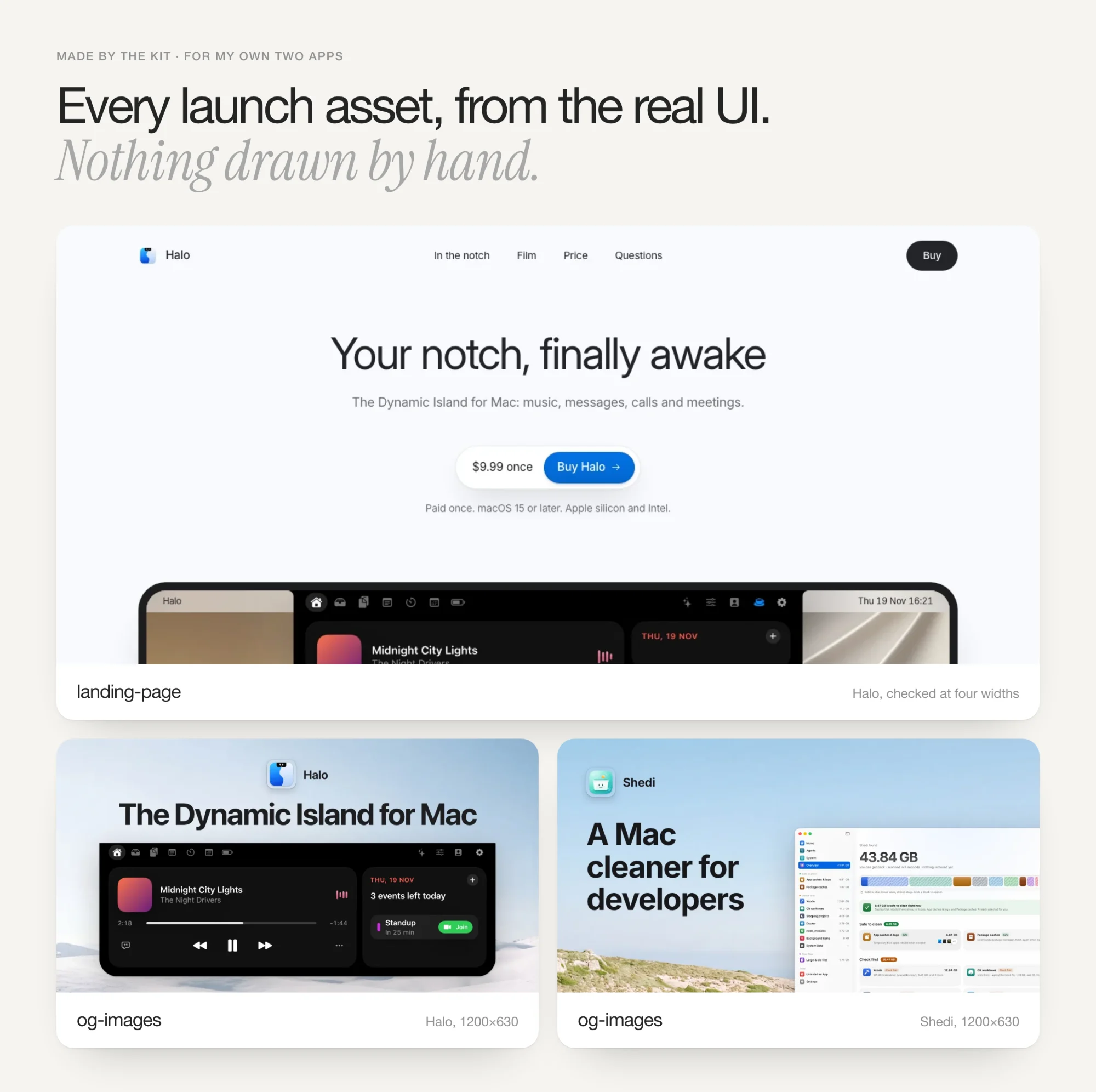
Halo's landing page and the link previews for both of my apps came out of the kit. So did Shedi's new homepage, which went live on 24 November.
What you get
Five Claude Code skills, one for each part of launch week:
- store-screenshots: App Store screenshots at Apple's exact sizes. Mac 2880×1800 and 1440×900, iPhone 1206×2622, any language, a zip ready for App Store Connect.
- og-images: a link preview for every page, a Product Hunt gallery and an X header.
- launch-copy: posts for Product Hunt, X, Threads and Reddit in your voice, where every number has to exist in your own README.
- launch-video: a short launch film from your real UI, with music, that still works muted.
- landing-page: a one-page site from your real captures. The one from the test above.
They run in your own Claude Code session, on your Mac, on your own Claude plan. Nothing is sent to me or to any service. You need Claude Code and Node.js 20 or newer.
Who it's for
It's for you if you make a Mac or iOS app, you launch it yourself, and you already use Claude Code.
It's not for you if you have a designer, or if all you need is iPhone screenshots. There are good free skills for that; start there.
The price
$89 once, with every future update. No subscription, and you can use it on as many of your own apps as you like.
Until 1 December it's $39, for Black Friday and launch week. In Mexico, Brazil, India and Uzbekistan the checkout shows a local price.
Not sure yet? The og-images skill is free and open source, and it runs the same kind of checks: github.com/abdiraimov-otabek/claude-code-og-image-skill
What the first buyer read
The question from the top.
On 23 November someone in South Carolina found the kit through a Reddit post about my 73-page study. My analytics shows the whole visit: about two minutes, almost all of it on the blind test and the tabs that show what each skill makes. Then they clicked Buy.
They didn't read the pitch. They read the scores.
You've now seen the same scores, plus the 75 marks Claude never saw.
If your next launch is a Mac or iOS app, and you'd like Claude to stop saying "done" early, it's $39 until 1 December:
Gold Master Kit
Launch week, checked before you see it
Five Claude Code skills for launching a Mac or iOS app: App Store screenshots, link previews, launch posts, a launch film and a landing page, made from your app's real UI. Every one runs its own checks before it says done. $39 once until 1 December (Black Friday and launch week), then $89.